New to Xway, I used Paypal buttons in Freeway. I have the code from Paypal, where do I put it?
Hi Catherine,
You should be able to put it inside a markup item (choose Markup from the Insert menu).
Here’s an old answer to this question.
Jeremy
Thanks for responding Jeremy. I tried that and I just get a little box with “HTML” written inside it. I don’t remember what I did in Freeway as it’s a long time ago. I’ve been trying different permutations, in a box on its own, in with text … just “HTML” appears in a small box. I tried increasing the size of the box to see whether it was revealed.
I can’t see anything relevant in the manual, I searched here but it didn’t come up as a topic. I seem to remember I used video instructions last time.
Markup items contain code that is added to the page when it is published. Xway’s Page view doesn’t interpret markup code, so all you see in the Page view is a label that identifies the item as a markup item. But if you’ve inserted code for a PayPal button, you should see that when you switch to Xway’s Web view, or if you preview in a browser.
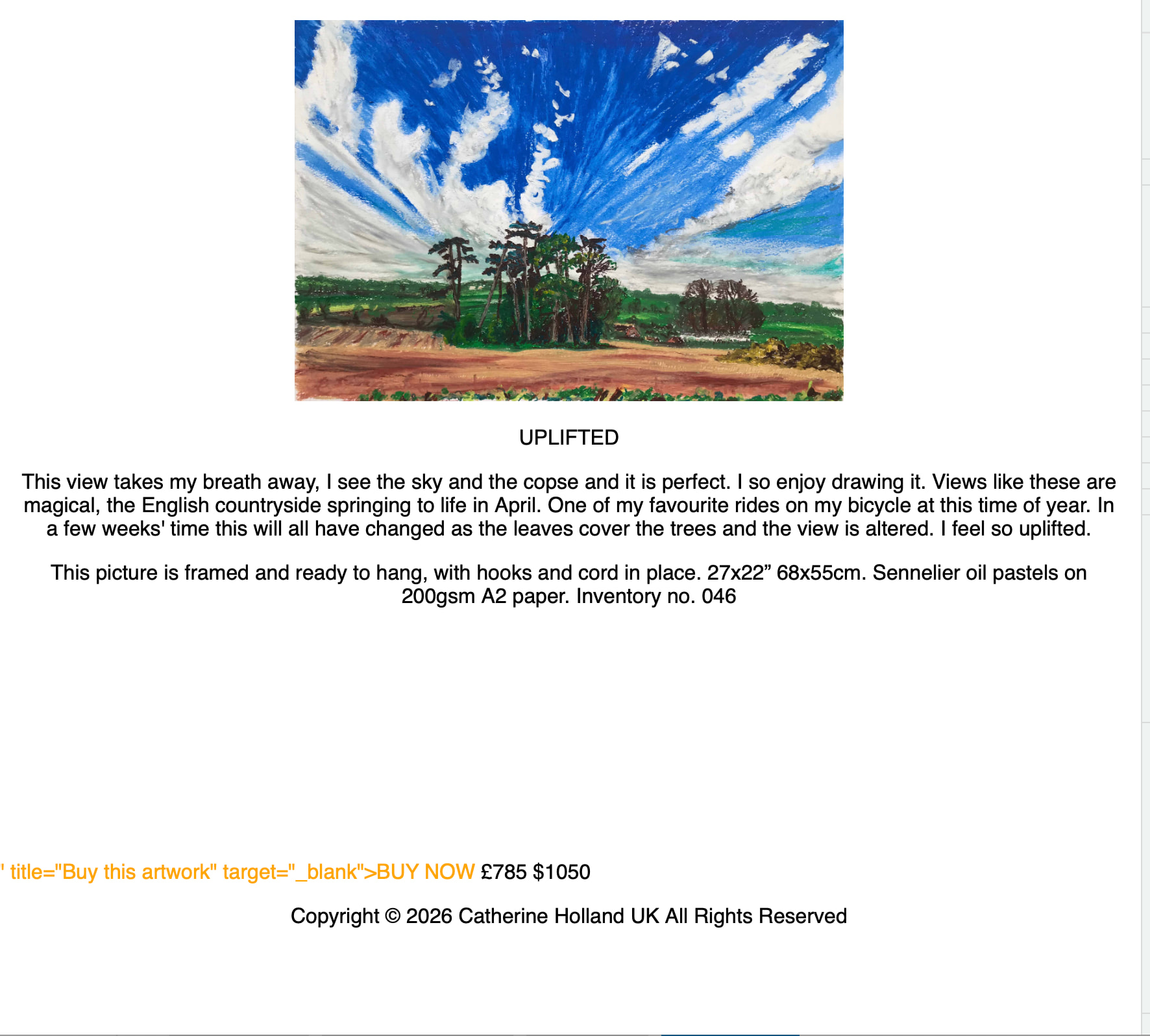
This is what I get when I publish.
What code are you adding to the markup item?
Note: To share code in the forums, reply in Discourse and press the </> button (at the top of the Reply window) after starting a new line, then copy/paste the code.
This is what I see (in Xway’s Web view) if I copy the following code (taken from the Uplifted Page in your current Freeway website) into a markup item:
<form action="https://www.paypal.com/cgi-bin/webscr" method="post">
<input name="cmd" type="hidden" value="_xclick">
<input name="business" type="hidden" value="catherine@catherineholland.co.uk">
<input name="currency_code" type="hidden" value="GBP">
<input name="item_name" type="hidden" value="Uplifted">
<input name="item_number" type="hidden" value="046">
<input name="amount" type="hidden" value="785">
<input name="button_subtype" type="hidden" value="services">
<input name="undefined_quantity" type="hidden" value="1">
<input name="submit" type="image" alt="Make payments with PayPal - it's fast, free and secure!" src="https://www.paypalobjects.com/en_US/i/btn/btn_buynowCC_LG.gif">
</form>
<div id="paypal-container-4AJATNBHGQ5GE"></div>
<script>
  paypal.HostedButtons({
    hostedButtonId: "4AJATNBHGQ5GE",
  }).render("#paypal-container-4AJATNBHGQ5GE")
</script>
This is the new Paypal code, the previous code was entered into a section in Freeway where I could describe the details, name of item, amount etc. in the Actions pane.
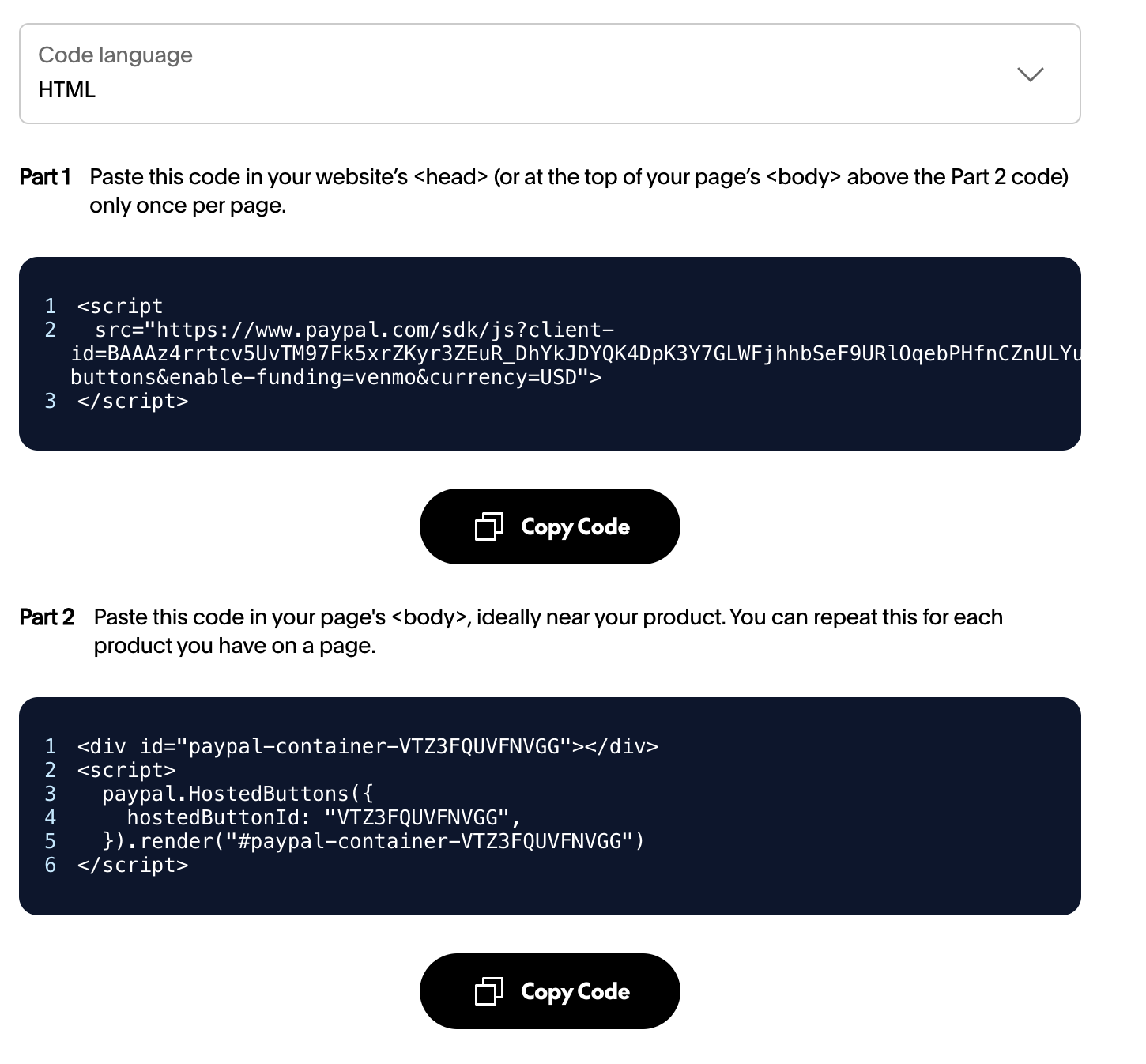
I also use PayPal buttons and the it requires you to place new code in 2 places for the button to function. See attached screenshot, but get your code from the PayPal site as it varies by user.
1 Like
Thank you, I will try that.
Which markup section did you put it in?
I came from a graphic design background and found Freeway a really straightforward step. So far Xway is far less intuitive for me.
I put it in the head section
Use the generic markup section in the inspector and select the “head” drop down, then place the text there. If you use master pages it will populate to the entire site and then you’ll only have to add the product code on pages with products. Otherwise do it on each page with products.
1 Like
You can add markup within the “head” section by choosing either:
After <head>: this places it at the start of the head sectionBefore </head>: this places it at the end of the head section and is the default option.
It shouldn’t matter which you choose, in most cases, but (2) tends to look better in the source code - there are more important elements in the head section that are normally placed at the start of this section.